
1. Download AudioBooth
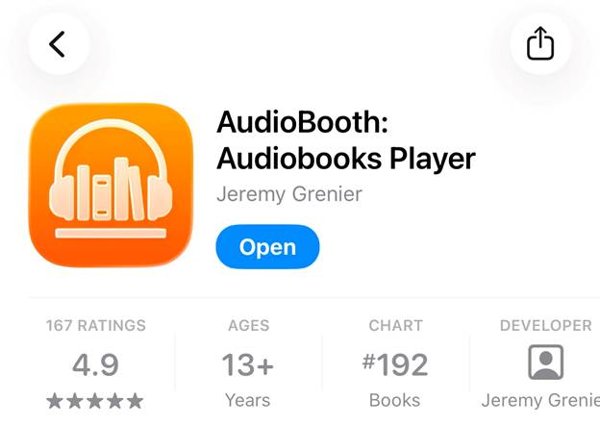
Download AudioBooth: Audiobooks Player from the App Store.
2. Open the Audiobooks Menu
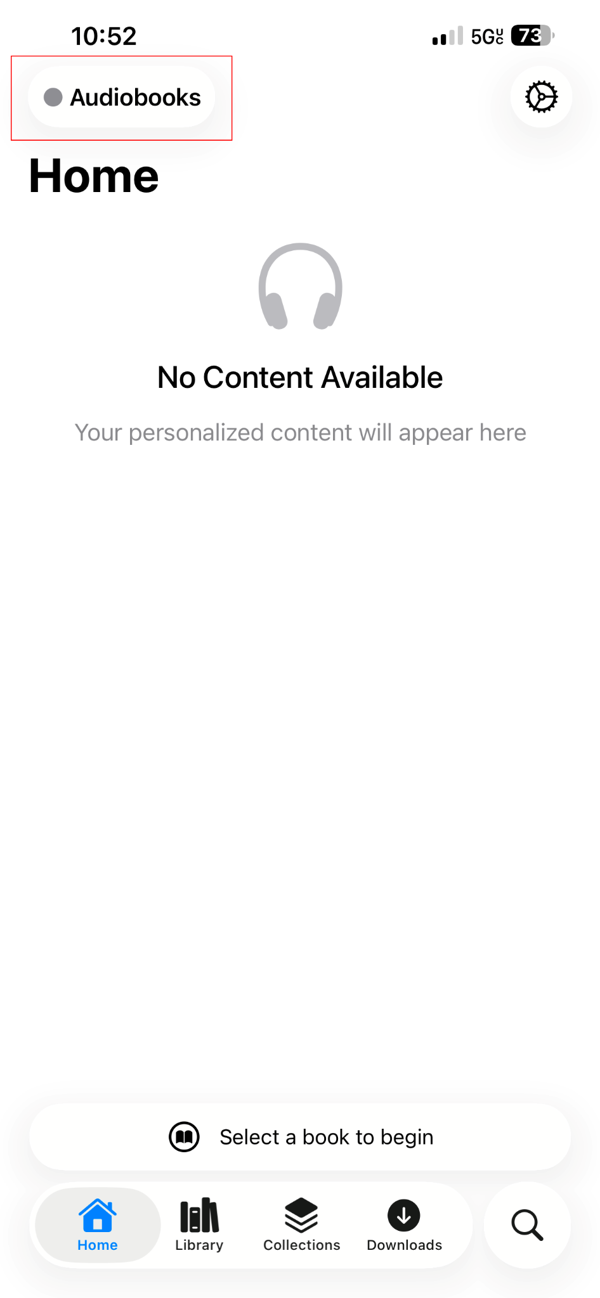
Open the app, then tap Audiobooks in the top-left corner.
3. Manage Servers
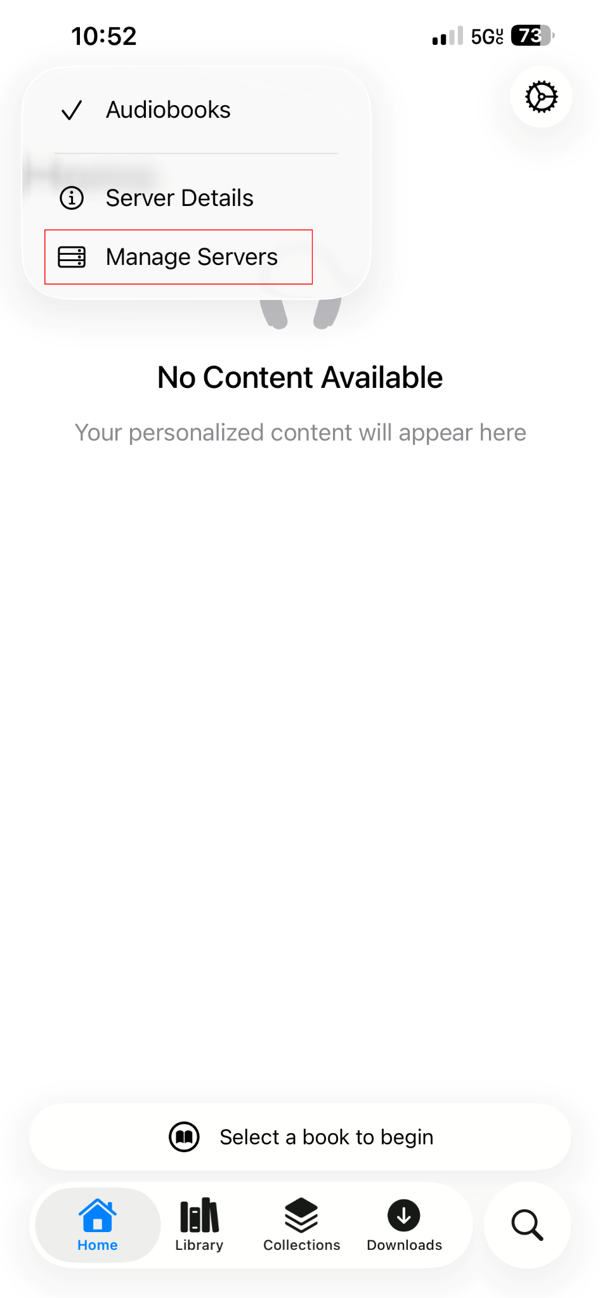
Tap Manage Servers.
4. Add a Server
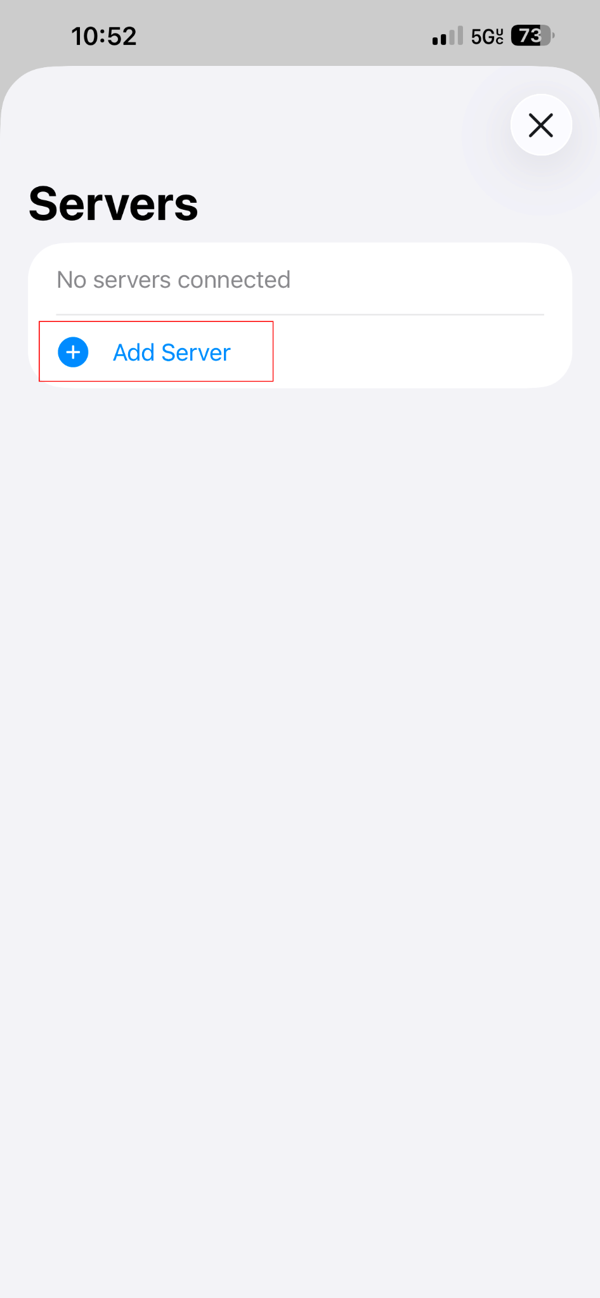
Tap Add Server.
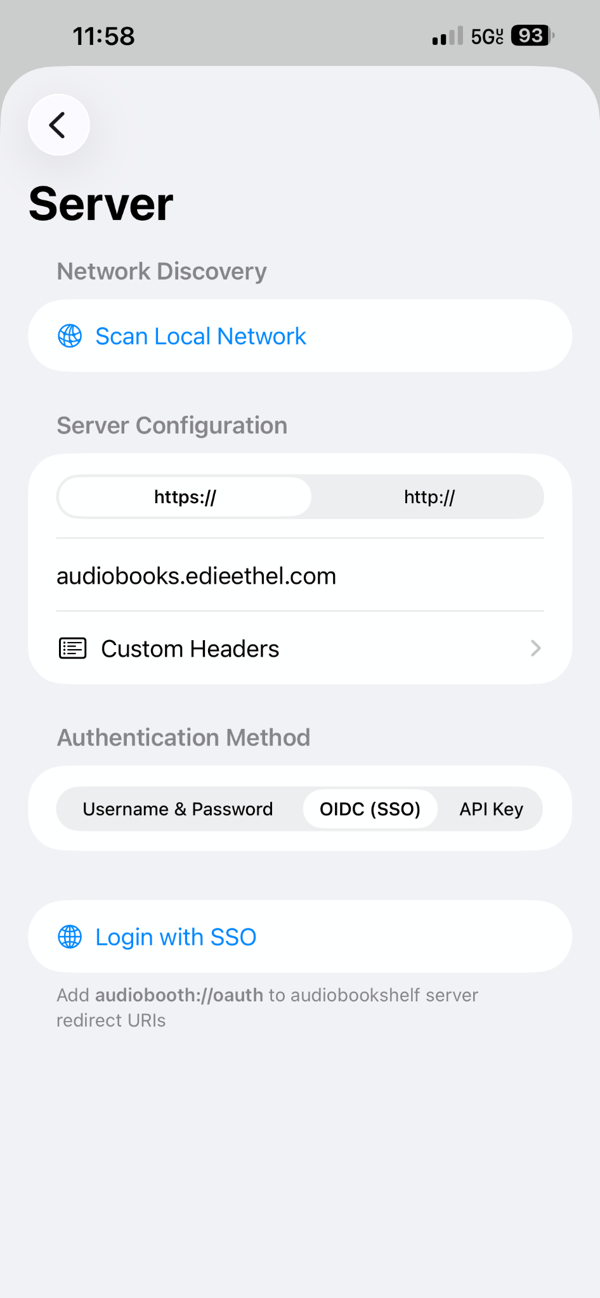
5. Enter the Server Address
- Make sure https:// is selected
- Then enter: audiobooks.edieethel.com
- Choose OIDC (SSO) as the authentication method
- Then tap Login with SSO.
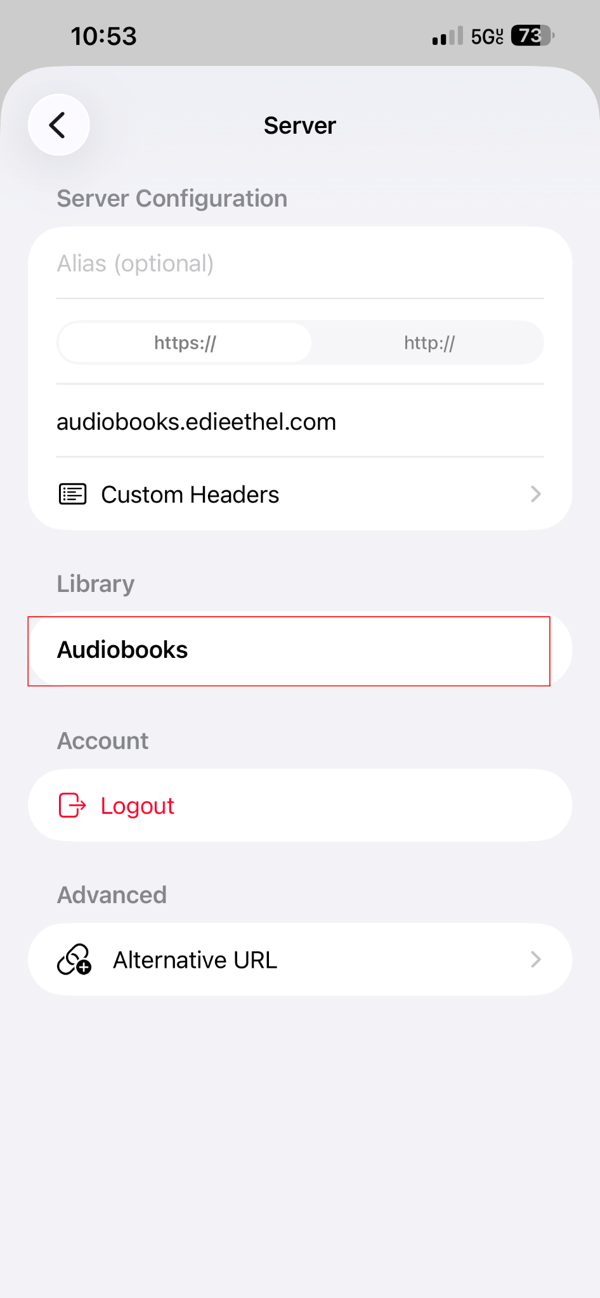
6. Select the Audiobooks Library
After logging in, if your books don’t appear right away, tap Audiobooks under the Library heading.
🎉 You’re all set. You should now be able to browse and stream audiobooks from the Edie & Ethel Lending Library.