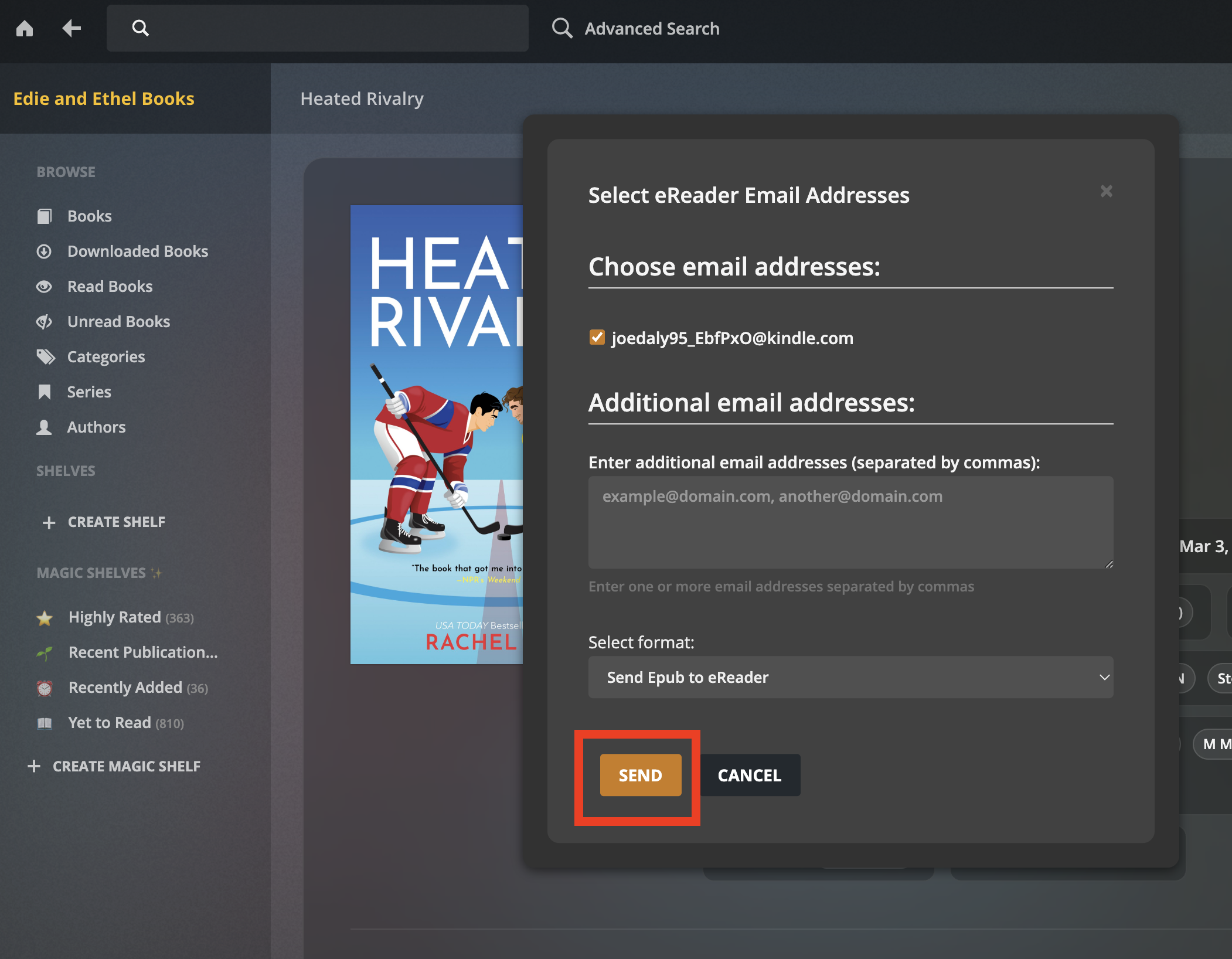
Even though this is a built in feature of the Kindle, Amazon likes to make this as convoluted as possible, so bear with us here 😵💫
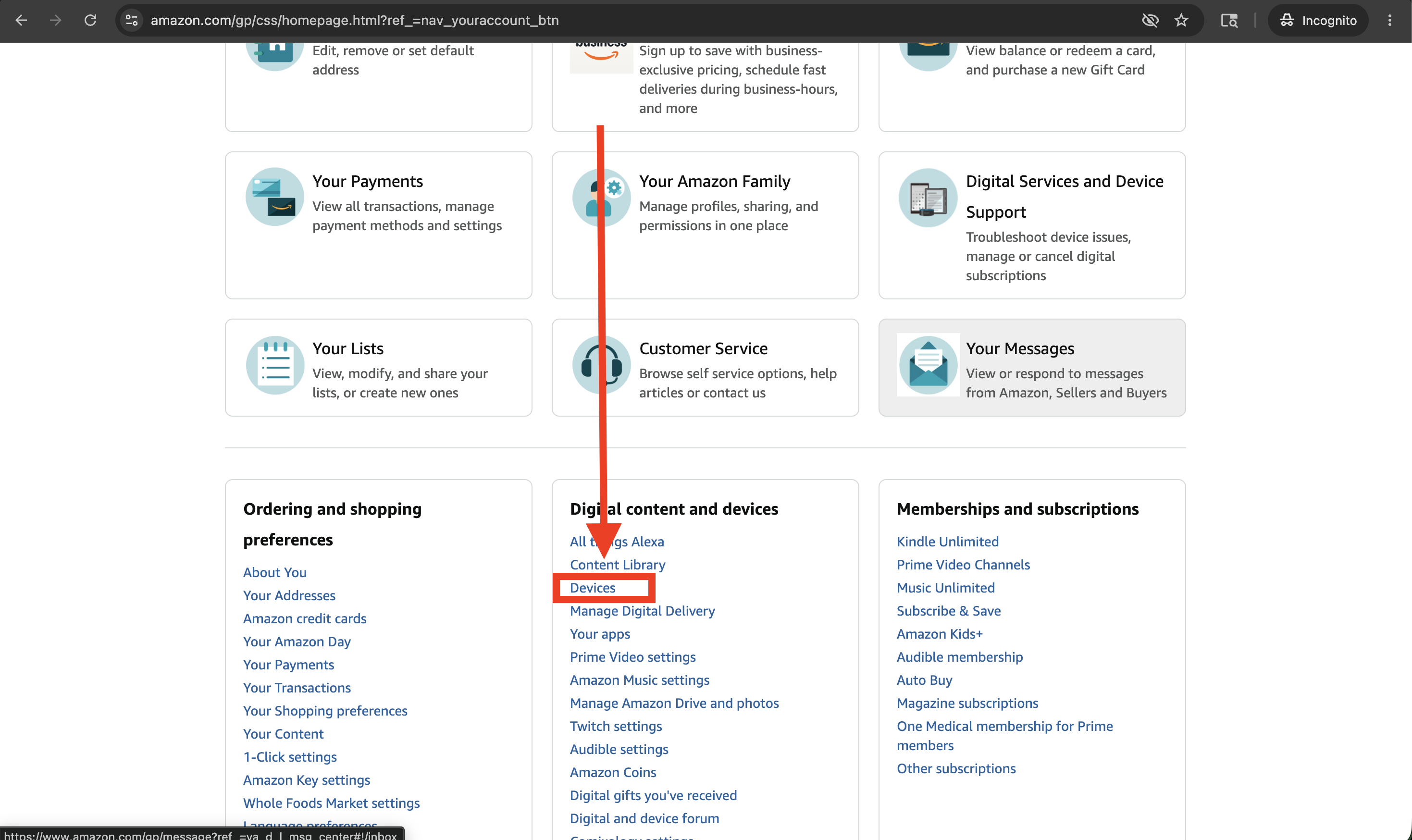
- Navigate to your Amazon account page, scroll down and select “Devices”
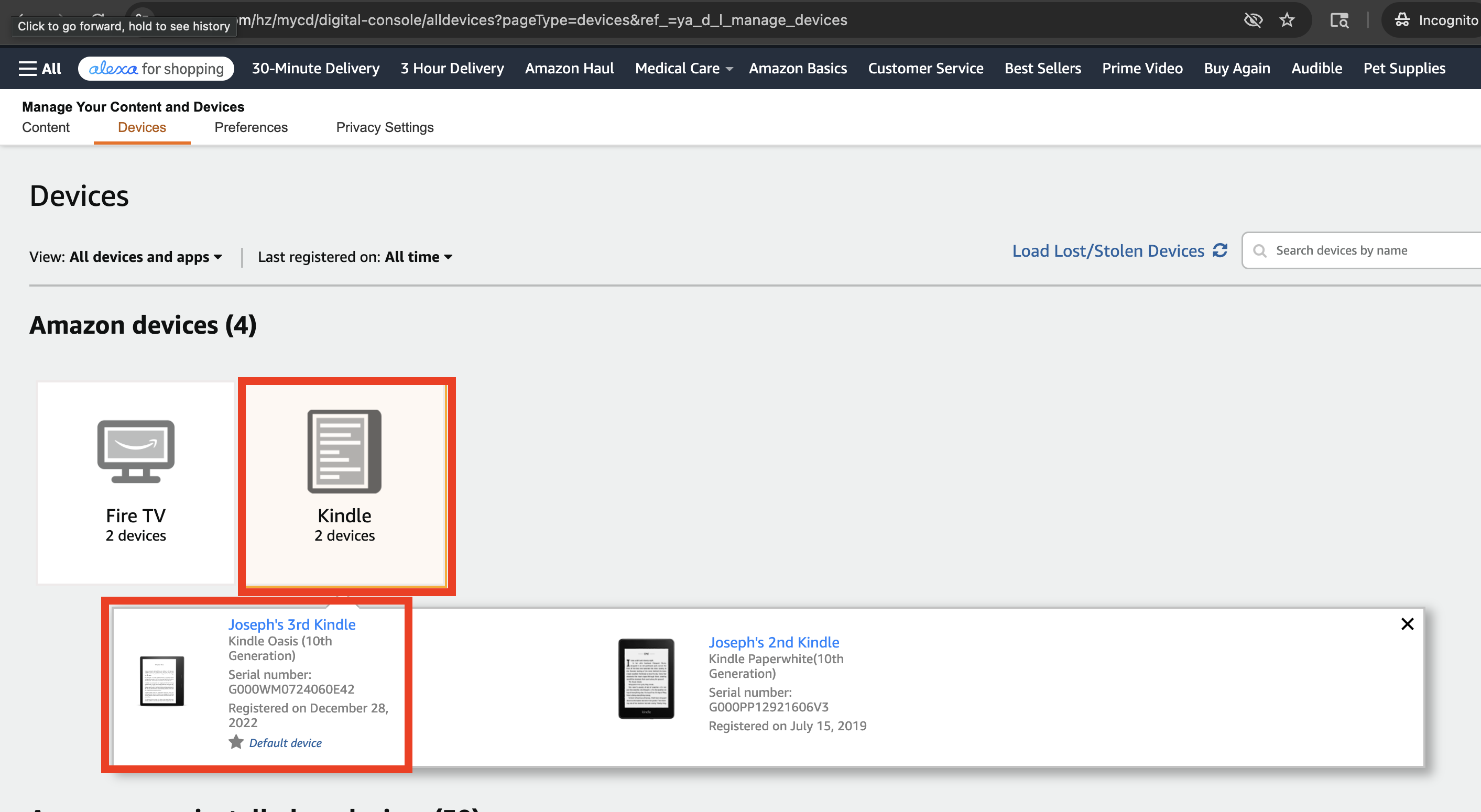
- Click where it says “Kindle”, if you have had multiple Kindles over the years select your current model
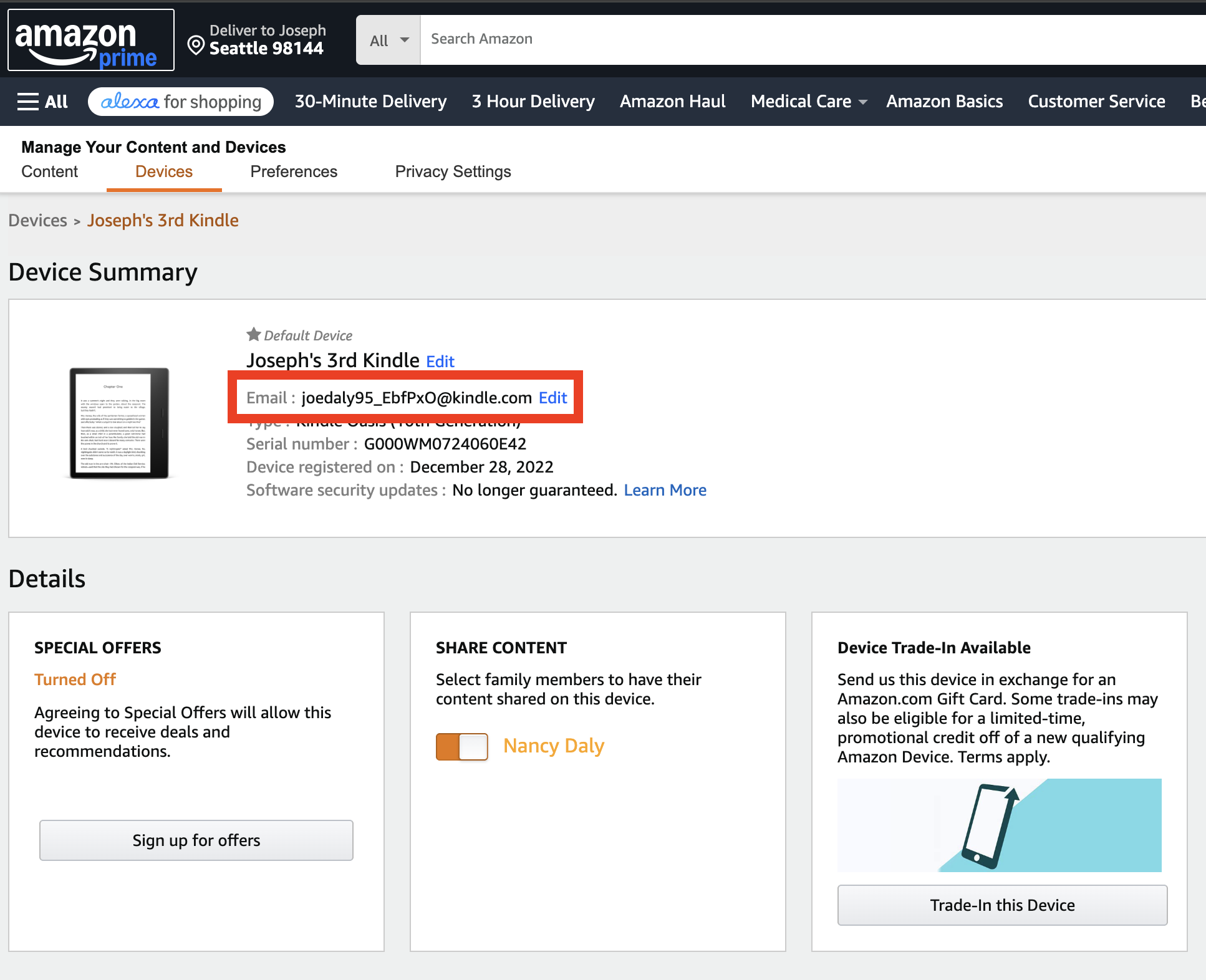
- Make note of the Email address listed, we need to use that later and it is unique to your Kindle
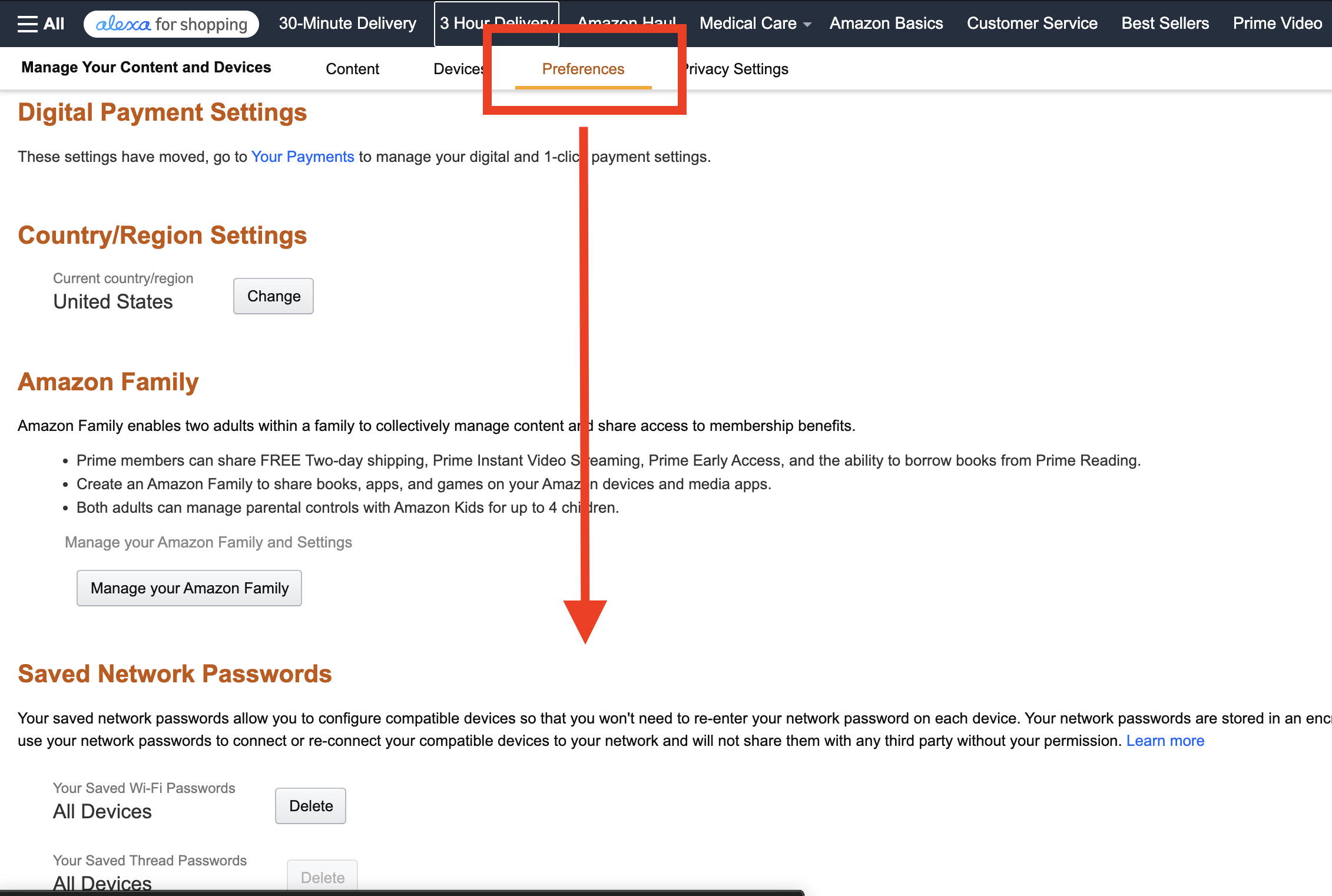
- Select Preferences, scroll down until you see “Approved Personal Document Email List”
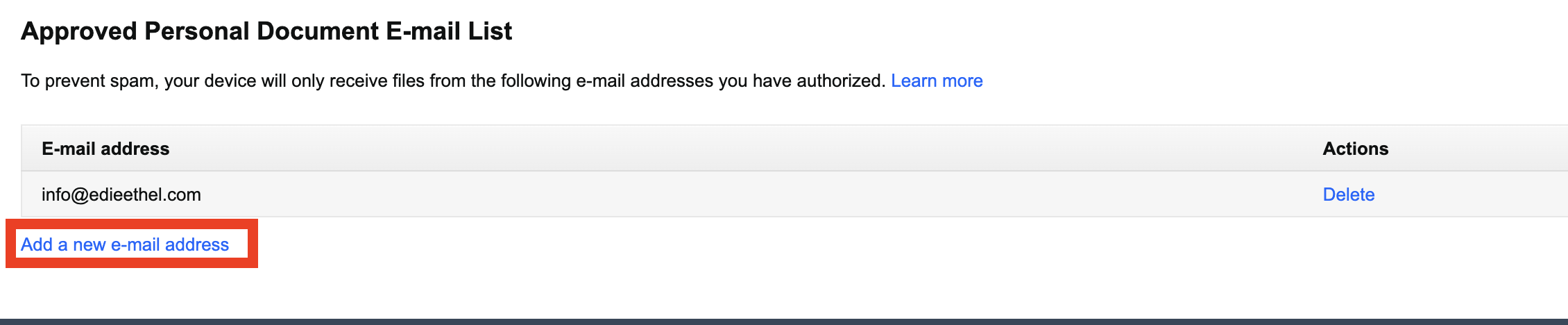
- Click “Add a new email address” and enter “info@edieethel.com”
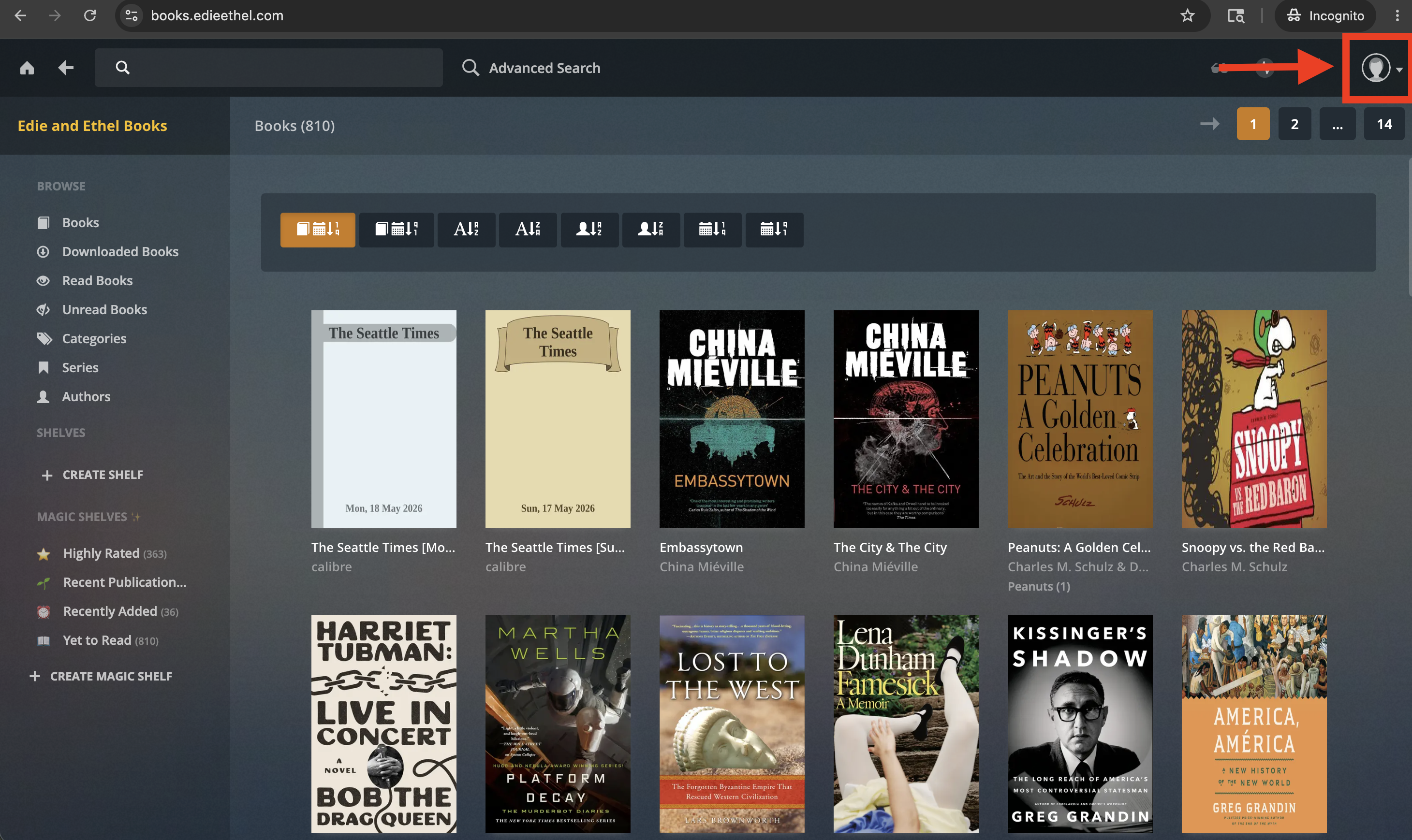
- Head to Books.edieethel.com and log in
- Click your account in the top right corner
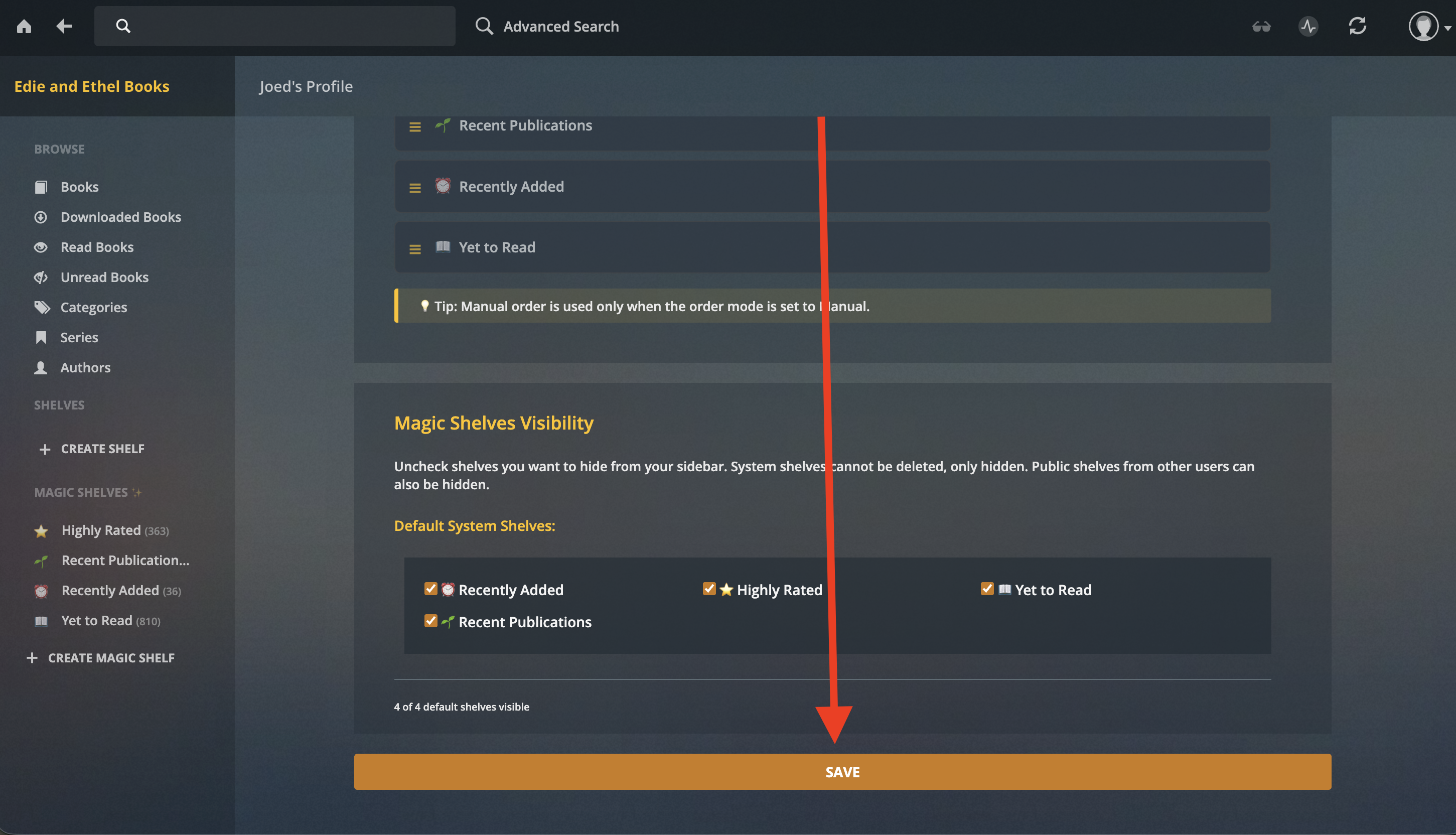
- On your account page, add in the unique Kindle email address that was listed. Its the one with @kindle.com at the end.
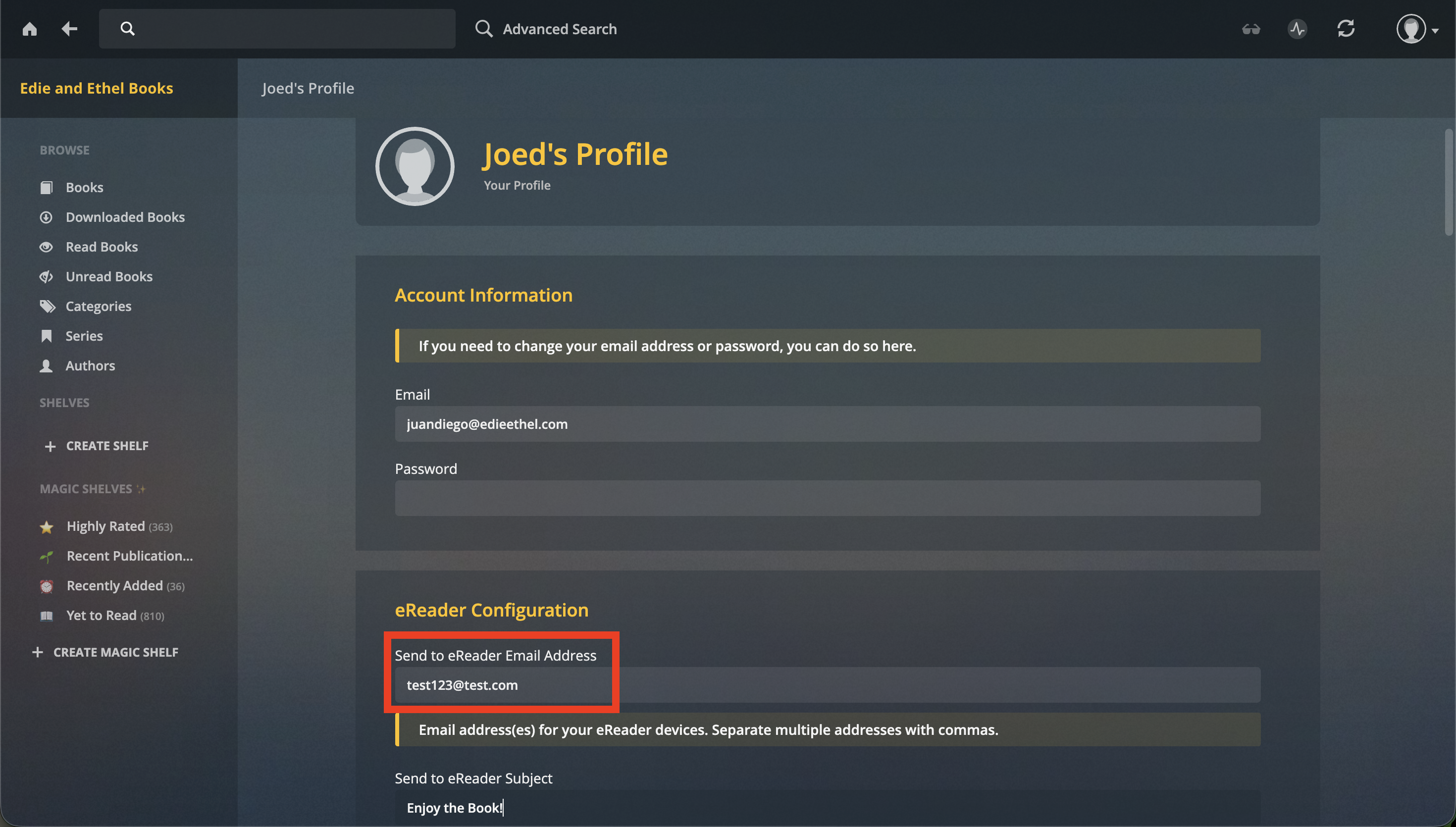
- Scroll down and hit “Save”
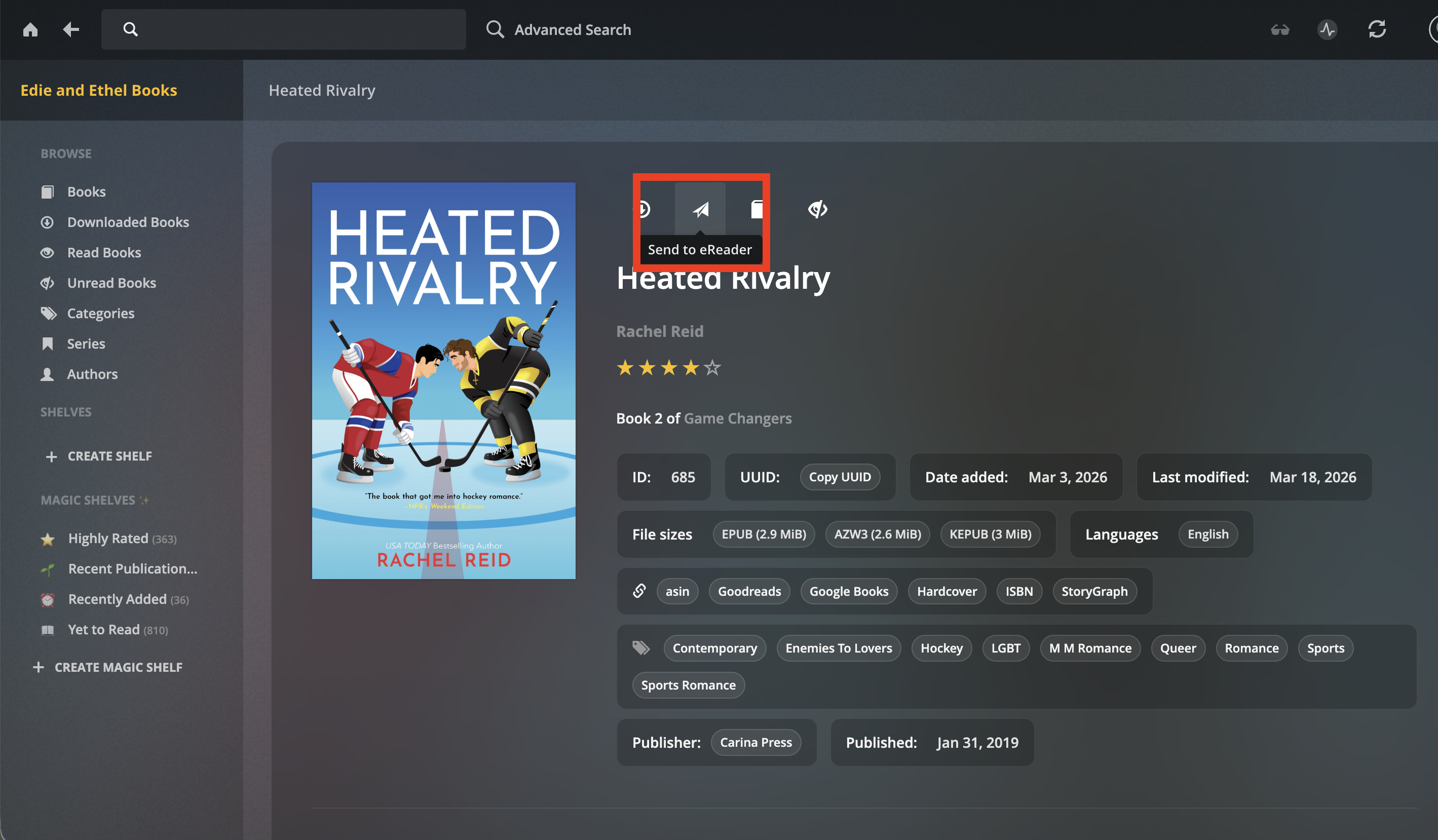
- Now find a book you want to read, click on it and look for the paper airplane icon
- Make sure the correct email address is listed and click “Send”